
State Reporting File
When direct state
reporting is required.
Our Combined Federal/State (CF/SF) filing generally satisfies participating states’ requirements for eligible returns. When a separate report is needed, State Reporting File automatically identifies the applicable requirements and prepares the relevant records from your order. Review the details, generate your file, and submit it to the state.
Already have an account? Log in
- Automatic requirement checks
- Prepared from your order
- You submit to the state
Explore state requirements
Do you need a direct state file?
Choose your form and tax year, then explore your state.
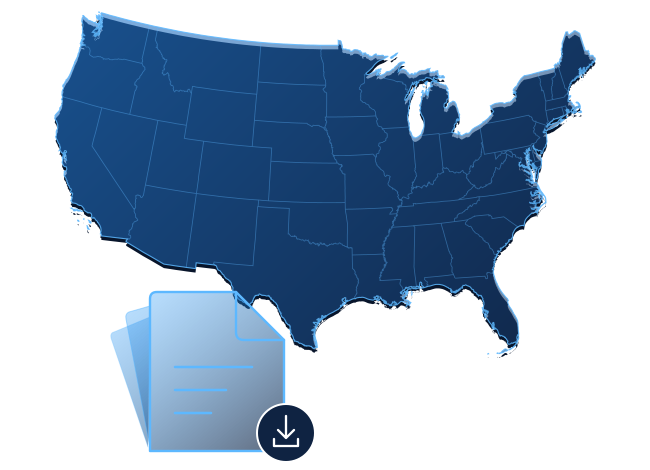
Use arrow keys to explore states. Press Enter or Space to select a state, or Escape to dismiss its preview. A searchable state picker follows the map.
Colorado
Only with withholdingA direct report is required when Colorado income tax was withheld on this form.
How CF/SF applies
Federal/state forwarding does not replace an applicable direct filing requirement for this form and year.
Your next step
With State Reporting File included, we check your order and prepare the relevant records. Review any requested information and available format, generate your file, then submit it to the state.
Colorado, 1099-NEC, 2026: Only with withholding. A direct report is required when Colorado income tax was withheld on this form.
Prepared automatically from your order.
With State Reporting File included, we identify the applicable requirements and organize the relevant records for you. See how it works
A starting point for original returns. Your amounts, withholding, state connections and CF/SF eligibility determine what applies. Corrections need separate review.
Do you need a file?
For the exceptions that need a direct report.
Our Combined Federal/State participation covers eligible reporting to participating states. With State Reporting File added to your order, we automatically identify separate reporting needs and organize the relevant records for your next step.
Requirements checked automatically
We evaluate your order’s forms, states, tax year and filing details to identify reporting that needs a separate state step.
Relevant records, already organized
The service prepares the applicable forms and recipient details by state. Obligations satisfied by accepted CF/SF are excluded from the work you need to complete.
A clear next step
Review the prepared details and state guidance, add any requested information, then generate an available file. Any manual reporting steps stay visible.
How it works
From your order to the state agency.
Follow the destination requirements before generating and submitting your file.
Add the optional service
Review the state requirement and price, then add State Reporting File to your order before release.
Open State Reporting Files
We automatically identify the reporting needs and prepare the relevant records. Open Orders → State Reporting Files to review them by form and state.
Review and generate
Confirm transmitting details, review the state instructions, choose an available format, and supply any required payer information before generation.
Download and submit
Download the file within two hours, then follow the state's instructions to submit it. Keep the acknowledgement for your records.
Unsure whether you need a file?
Confirm the requirement and available output before adding the service.
Your next step, made clear
We prepare the file. You complete the submission.
We automatically assess your released order and prepare the records for each applicable state report. Confirm the requested details, generate an available file, and follow the state’s submission instructions.
Generating or downloading a file does not submit it or confirm state acceptance.
State-specific guidance
Review the links to state instructions and select an available format for your filing. Confirm transmitting-party and state account details when prompted.
Only the groups needing action
We identify and organize the forms and states that need attention automatically. When accepted CF/SF satisfies an obligation, a duplicate file group is not needed.
Manual steps stay visible
Missing information and manual reporting requirements stay visible. When no downloadable format is available, follow the guidance for the remaining state reporting step.
Sensitive filing information deserves careful handling.
Explore our securityGuides & answers
A little guidance goes a long way.
Understand when a separate state report may be needed and how to complete the next step.
State reporting FAQs
Do I need this with every filing?
No. E-File Magic participates in Combined Federal/State filing for eligible returns, which generally satisfies participating states’ reporting requirements. State Reporting File is an optional service for circumstances where a separate direct report is still required. Confirm the requirement and an available output before adding it.
Do I need to file directly with a state?Does CF/SF cover every state requirement?
No. Coverage depends on the form, state, tax year and filing details. A state may require a separate direct report or additional information. Review the state's instructions for your situation; federal acceptance alone does not establish that every state obligation is complete.
Do I need to file directly with a state?Will E-File Magic submit this file for me?
No. This service prepares a file for you to download and submit to the state agency. Follow the state's submission instructions and retain its acknowledgement. Generating or downloading the file does not confirm filing or acceptance.
Create a State Reporting FileWhich forms and formats are available?
The choices depend on the form, state and tax year. Open the relevant group in Orders → State Reporting Files to review instructions, available formats and required transmitting or payer details. Some obligations require manual reporting. Use a format only when the destination accepts it.
Which state file format should I choose?Why might no downloadable group appear?
A separate direct report may not be required, or accepted CF/SF may satisfy the obligation. An order can also still be preparing, need more information, or require a manual reporting step. Review the displayed status and guidance; contact support if the result does not match your filing situation.
What if my download expires?
Download a generated file within two hours. If it expires, return to the group and request a fresh file. Review the selected format and state instructions before submitting, and keep the state's acknowledgement.
How can I check whether my state needs a direct file?
Use the state requirements map above. Choose your form and tax year, then hover over or select a state for a short explanation, CF/SF guidance and official sources. Tags such as Only with withholding describe a condition; your order's actual records determine what applies. The tool covers original returns. With State Reporting File included, we automatically identify applicable requirements and prepare the relevant records for your review.
Explore your stateRead the state reporting articleStill have a question? Talk to Support
IRS Combined Federal/State guidancePrepare with confidence
Check the requirement. Prepare the right file.
Use State Reporting File when your filing needs a separate direct state report.